
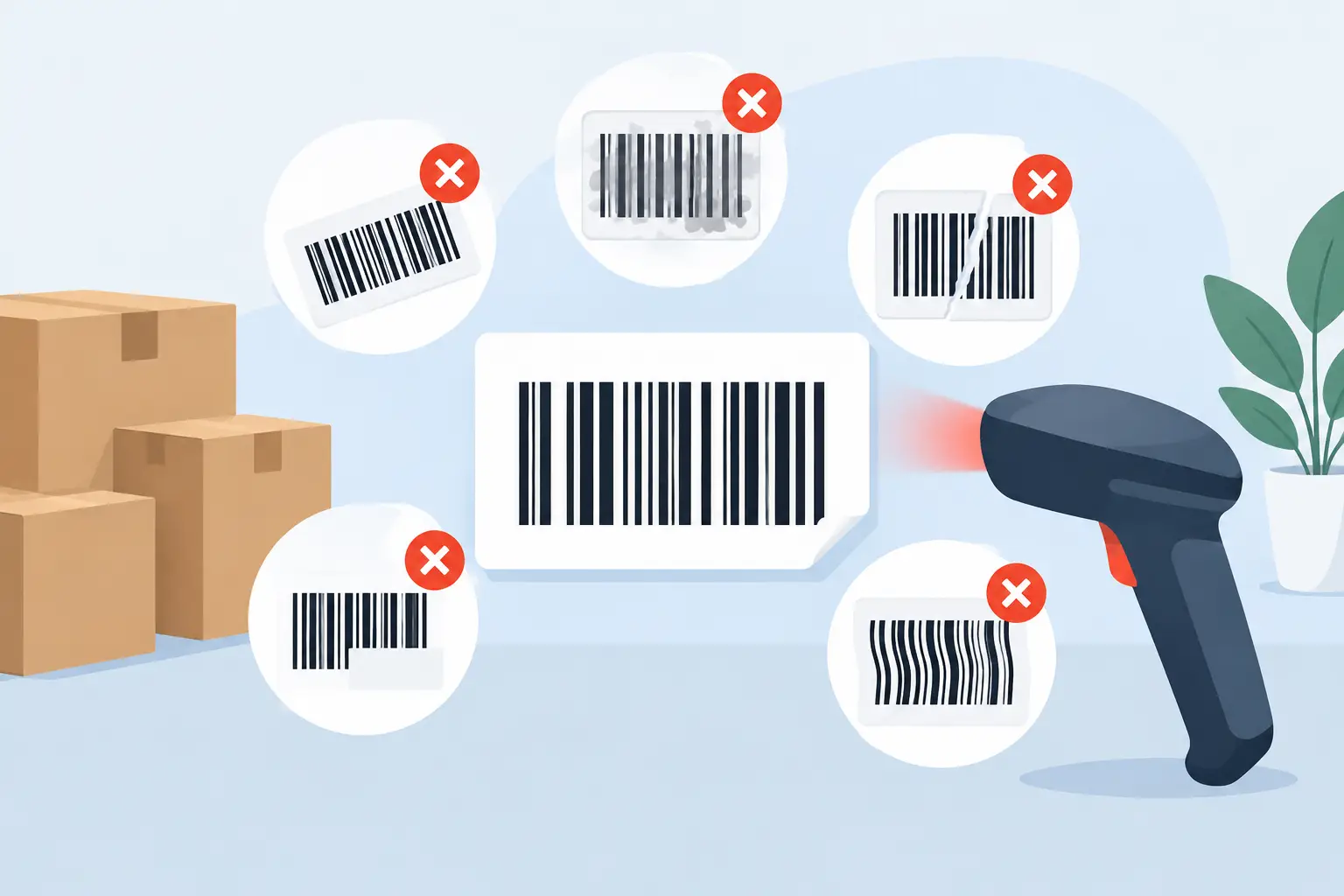
A barcode can look sharp on a press proof and still fail when it reaches a retail scanner, warehouse conveyor, or pharmacy counter. Common barcode label mistakes often start well before printing, when barcode specifications, package geometry, materials, and production tolerances are treated as separate decisions. They are not. A dependable barcode is the result of all of them working together.
For product manufacturers, a failed scan can mean delayed receiving, retailer chargebacks, manual data entry, relabeling costs, and frustrated customers. The good news is that most barcode problems are preventable when they are addressed during label planning rather than after product has been packed.
Why Common Barcode Label Mistakes Reach Production
Barcodes are functional print elements, not decorative graphics. A human may see a clean black-and-white symbol, while a scanner sees bar widths, contrast, reflected light, quiet zones, and encoded data. Small changes that seem insignificant in artwork can materially affect scan performance.
The risk also varies by application. A UPC on a flat retail carton has different requirements from a Code 128 barcode on an industrial drum or a Data Matrix code on a small pharmaceutical package. The packaging surface, distribution environment, and scanning equipment all affect the right label specification.
1. Using the Wrong Barcode Type
Selecting a barcode because it is familiar rather than because it fits the application is a common source of trouble. UPC and EAN symbols are widely used for retail point-of-sale applications, but they are not interchangeable with warehouse, asset-tracking, or regulated-product codes. Code 128, GS1-128, QR codes, and Data Matrix symbols each support different data structures and uses.
The encoded number must also match the barcode type and the customer or industry requirement. For example, a retail barcode tied to a product listing needs valid product data and the correct prefix structure. A properly printed symbol cannot compensate for incorrect data. Confirm the symbology, required data format, and scan environment before artwork begins.
2. Reducing the Barcode Too Far
Packaging teams often need to fit more information into less space. Shrinking a barcode can appear to solve the layout problem, but it reduces the width of the narrowest bars and spaces, known as the X-dimension. At a certain point, normal press variation, ink spread, or scanner limitations can make the symbol unreliable.
A smaller barcode is not always wrong. It can work when the symbol is designed for the intended printing method and verified at its final size. But reducing a barcode without reviewing its minimum size, magnification requirements, and available print resolution introduces unnecessary risk. If space is tight, a different barcode format or a revised package layout may be the better production decision.
3. Ignoring Quiet Zones
The blank areas on either side of a linear barcode are called quiet zones. They tell a scanner where the barcode begins and ends. When text, color blocks, borders, graphics, or package seams crowd these areas, the scanner may not distinguish the code from surrounding artwork.
Quiet zones should remain clear in the final printed label, not just in the original design file. This requires allowance for trimming, label placement variation, and any movement that can occur on an applicator. A border that looks like a clean design choice can become a scan problem when it sits too close to the code.
4. Choosing Colors for Appearance Instead of Scan Contrast
Black bars on a white background are a reliable choice because they provide strong contrast. That does not mean every barcode must be black and white, but color combinations need to be selected with the scanner in mind. Many barcode readers use red light, so colors that look different to the human eye may appear similar to the scanner.
Light-colored bars, metallic inks, transparent backgrounds, and certain reds can create poor contrast. Gloss varnishes and reflective films can also introduce glare. If branding requires a nonstandard color combination, test it on the actual label material and finish. A screen proof or office printout cannot confirm how the final construction will scan.
5. Placing the Barcode on a Difficult Package Surface
A barcode needs a reasonably stable, scannable surface. Placement on a tight curve, near a corner, across a seam, or over a bottle shoulder can distort the bars and make scanning inconsistent. This is especially common with small-diameter bottles, flexible pouches, tapered containers, and shrink-sleeve packaging.
Barcode orientation matters as well. Picket fence orientation places bars perpendicular to the direction of print, while ladder orientation places them parallel. The best choice depends on the package shape, print process, and likely scanner path. A label supplier should review a package sample or accurate dieline before recommending placement.
6. Forgetting How Materials and Finishes Affect Performance
Label stock is not just a branding decision. A barcode printed on glossy paper, clear film, foil, textured stock, or a highly reflective laminate may behave differently under scanner light. Condensation, abrasion, chemicals, freezer exposure, and outdoor weather can further change performance over the life of the product.
For food, beverage, health and beauty, and industrial labels, the material must support both the package environment and barcode readability. A water bottle label may need to tolerate moisture and refrigeration. A chemical container label may need abrasion and solvent resistance. The barcode should be tested after the label is exposed to the conditions it will actually face.
7. Treating Barcode Verification Like a Quick Scan Test
Scanning a label with a phone or handheld reader is useful, but it is not the same as barcode verification. A scanner can confirm that a particular device reads a code at that moment. A verifier measures the symbol against established quality criteria, including contrast, modulation, defects, decodability, and dimensional accuracy.
This distinction matters when supplying major retailers, distributors, or regulated markets that specify minimum barcode grades. A barcode that scans once may still perform poorly across different scanning equipment or fail a customer’s incoming inspection. Verification during production provides objective evidence that the printed code meets the required standard.
8. Failing to Account for Print Tolerances
Barcodes depend on precise bars and spaces, so normal print variation must be considered during prepress. Ink spread can make bars wider. Reverse printing can close spaces. Fine type, dense solids, or an unsuitable line screen can affect edge definition. These conditions are manageable when the barcode is built and printed for the selected press process.
Digital printing can offer excellent detail and flexibility for variable data, short runs, and frequent artwork updates. However, the barcode still needs correct artwork, suitable dimensions, and process controls. Do not assume that modern equipment removes the need for barcode specifications and final verification.
9. Allowing Last-Minute Artwork Changes Without Rechecking the Code
Last-minute revisions are normal in packaging production. Ingredients change, claims are updated, regulatory copy moves, and a retailer may request a new item number. Problems occur when the barcode is moved, resized, recolored, or regenerated during these changes without a final review.
Barcode data should be controlled as carefully as any regulated copy on the label. Use the approved data source, keep version control clear, and inspect the final production artwork. If a new barcode is generated, confirm that the human-readable number and encoded data match exactly.
10. Waiting Until a Full Run to Test
A full production run is the most expensive time to discover that a barcode will not scan. Early testing is particularly valuable for new package shapes, specialty materials, metallic designs, very small labels, and applications with strict customer requirements.
Provide the printer with the barcode specifications, packaging details, target environment, and any retailer or distributor standards at the quoting stage. A production partner can then evaluate the label construction, recommend a practical barcode location, and plan a proof or verification process appropriate to the job.
Preventing Barcode Label Mistakes Before Press Time
The strongest barcode programs are built into packaging development. Start with the required symbology and validated data, then establish the size, quiet zones, colors, orientation, and placement around the actual package. Specify the substrate and finish based on the product environment, not just visual preference. Finally, verify the finished barcode at the required quality level before committing to volume.
That process does not need to slow down production. It prevents costly corrections later, especially when a product is headed to multiple retailers or demanding distribution channels. When barcode performance is part of the initial label conversation, Miles Label Company can help identify print and material considerations before they become a problem on the production floor.